ROS + OpenCV Lane Detection
Real-time lane detection from a USB camera stream and steering signal generation — Teknofest Robotaksi prototype
Project Info
- ✓Category: Computer Vision / Autonomous Driving
- ✓Context: Real-time prototype for Teknofest Robotaksi
- ✓Input: USB camera or ROS camera driver
- ✓Output: Lane masking & steering angle (PID-ready)
- ✓Platform: ROS (Ubuntu), OpenCV
ROS
OpenCV
Python
C++
Canny
Hough
PID
Architecture & Algorithm Pipeline
The system targets real-time performance with a classic OpenCV-based lane detection approach. A typical flow consists of the following steps:
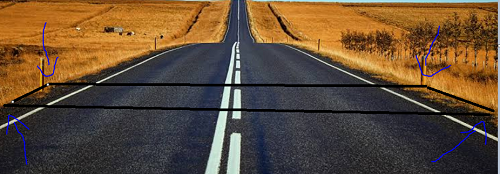
- ROI (Region of Interest): Masking the road's region of interest (lower triangle/polygon).
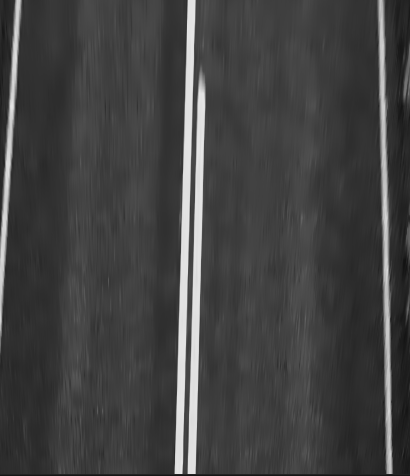
- Preprocessing: Grayscale, Gaussian blur, dynamic thresholding.
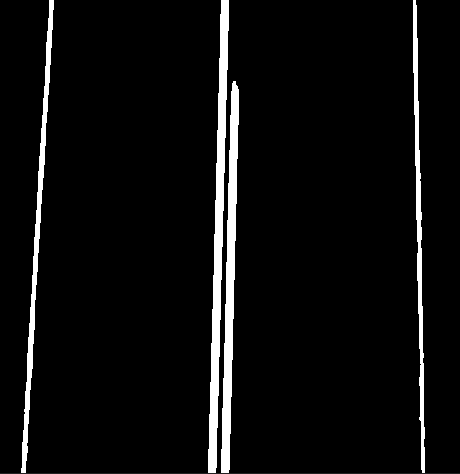
- Edge extraction (Canny): Extracting candidate line edges.
- HoughLinesP: Finding right/left lane candidates as line segments.
- Symmetry & merging: Filtering the lines and merging by slope/continuity.
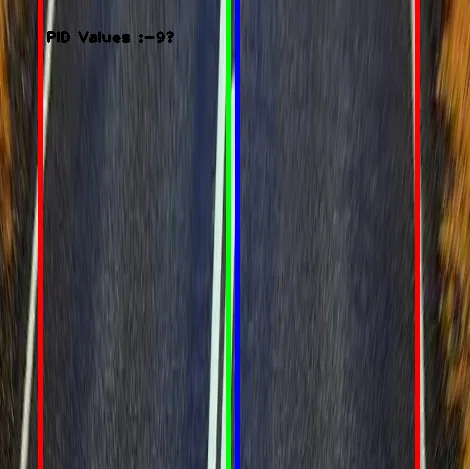
- Heading angle estimation: Computing deviation relative to the lane center and generating
steering_angle. - Optional corrections: Temporal-window smoothing, jitter reduction.
Note: Topic names, node names, and parameter files are defined within the repository; the values given here
are a general template. They can be customized via the launch and/or param files in the repository.
Example ROS Topics
/camera/image_raw– Input image/lane/overlay– Detected lane overlay (optional)/lane/steering_angle– Steering angle (float)/lane/pid– PID control input (optional)
Example Parameters
| Parameter | Description | Example |
|---|---|---|
canny_low | Lower edge threshold | 50 |
canny_high | Upper edge threshold | 150 |
hough_threshold | Hough vote threshold | 30 |
minLineLength | Minimum line length | 25 |
maxLineGap | Line merging gap | 20 |
roi_vertices | Region-of-interest polygon | lower triangle |
smoothing_window | Angle smoothing window | 5 |
Setup (Example)
# ROS & dependencies (example: Noetic / Ubuntu 20.04)
sudo apt update
sudo apt install ros-noetic-desktop-full python3-opencv

# Workspace
mkdir -p ~/catkin_ws/src
cd ~/catkin_ws/src

# Add the repository
git clone https://github.com/mr-ozdemir/Lane-detection-with-Opencv-in-Ros.git

# Build (for C++ nodes, if any)
cd ..
catkin_make
source devel/setup.bash
Running (Example)
# Start your camera driver (example)
roslaunch usb_cam usb_cam-test.launch

# Lane detection - if a launch file exists:
roslaunch lane_detection lane_detection.launch

# or run a single node (depending on the repository structure):
rosrun lane_detection lane_node.py
# or
rosrun lane_detection lane_node
Notes & Potential Improvements
- The ROI and edge/line thresholds should be tuned to the field for different lighting/surface conditions.
- FPS/latency targets depend on resolution and hardware; more stable real-time performance is achieved at 640×480.
- In the future, the classic method could be combined with segmentation-based approaches (e.g., U-Net, ENet) in a hybrid scheme.
- A ROS2 port and hardware acceleration (GPU/OpenCL) can be planned.